
How to import calendars from Google Calendar with Easy Switch
- Reading
- 3 mins
- Categories
- Easy switch
- Manage calendars
You can use Easy Switch to quickly import events from Google Calendar to Proton Calendar on the web and the Android app. Your events are automatically end-to-end encrypted so no one else can access them. You can also import your calendars from other calendar providers using an ICS file.
On the web
To launch Easy Switch:
- Sign in to your account at calendar.proton.me(new window).
- Select Settings → All settings.
- In the left sidebar, select Import via Easy Switch.
- Choose the provider you’d like to import from.

If you are importing from Google Calendar, Easy Switch runs seamlessly in the background. You can use your device normally while your calendars are transferred from your old account to Proton Mail.
On the Proton Calendar for Android app
- Open the Proton Calendar app and select the hamburger menu (≡) at the top left.
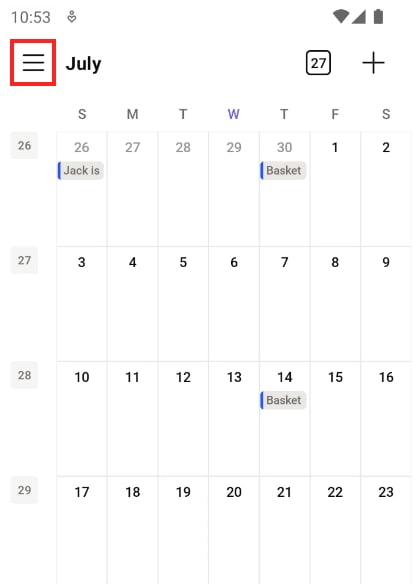
- Tap on Settings in the left sidebar.

- Select Import from Google.

- Select New import. You will be asked to sign in to your Google Account and give Easy Switch access to your calendar.
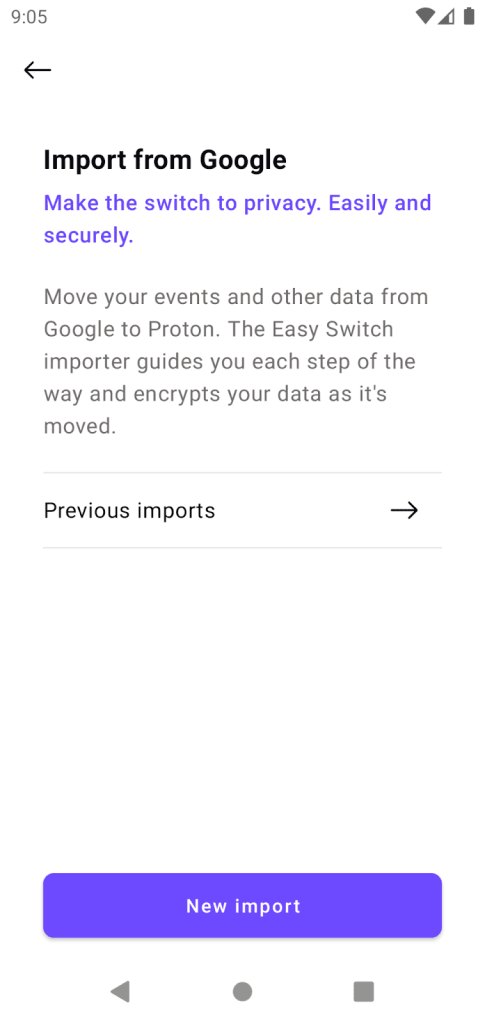
If you have a free Proton Account, you can only have three calendars. To import a calendar from Google, you will be ask to merge it with your existing Proton calendar.
To import calendars from other providers, such as Outlook, you will need to export an ICS file of your calendar and upload it directly to the Proton Calendar web app.
Note: Easy Switch performs a one-time import, not an ongoing sync, between your third-party calendar and Proton Calendar. We only copy over events that are accessible at the time of import. For continuous sync, including new events added later, we recommend subscribing to the external calendar instead.
How to import ICS files to Proton Calendar.
You can also use Easy Switch to import your emails and contacts.
Ask your contacts to send calendar invites to your Proton Mail address
Easy Switch moves your emails, contacts, and calendars over, but a smooth migration also means getting your contacts to update how they reach you. For scheduling, ask them to send invites directly to your new Proton Mail address. Since Proton Mail and Proton Calendar are integrated, this makes a real difference.
Event invites that arrive in your Proton Mail inbox are automatically added to your calendar as pending events, so you’ll see them right away. However, you’ll still need to respond so the organizer knows your status.
This is controlled by a toggle in Settings → All settings → General → Invitations, and it’s on by default.
